




Changing Your Account Email Address
This article has moved to the Teach Daily Resource Library!
Already a member and want to view it here?
Log In Now
Log In Now
Changing your account email address is easy. Do it yourself in a few simple steps.
1. Click Sign In
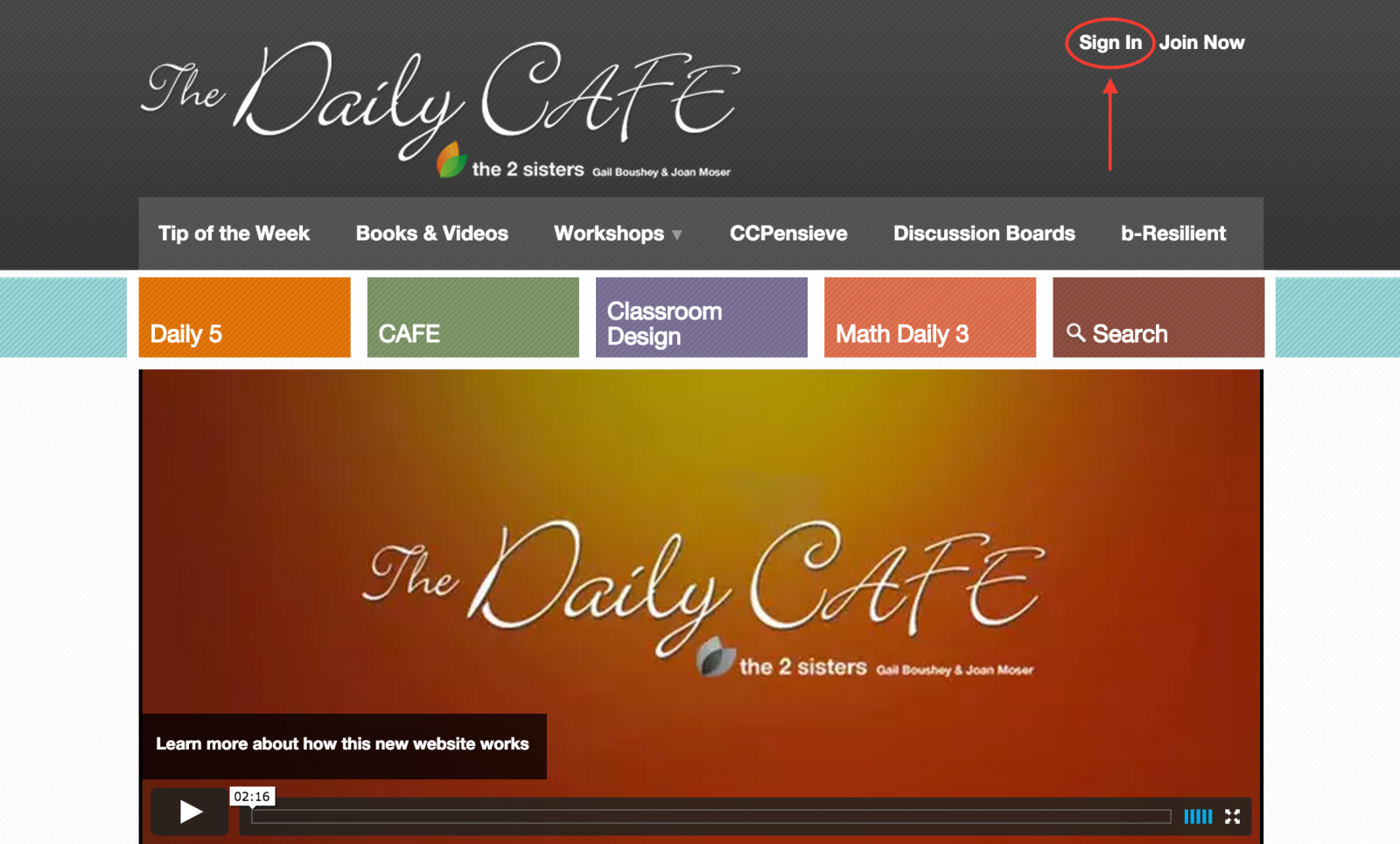
2. Sign in with your current information.
.png)
3. Click on Change Login
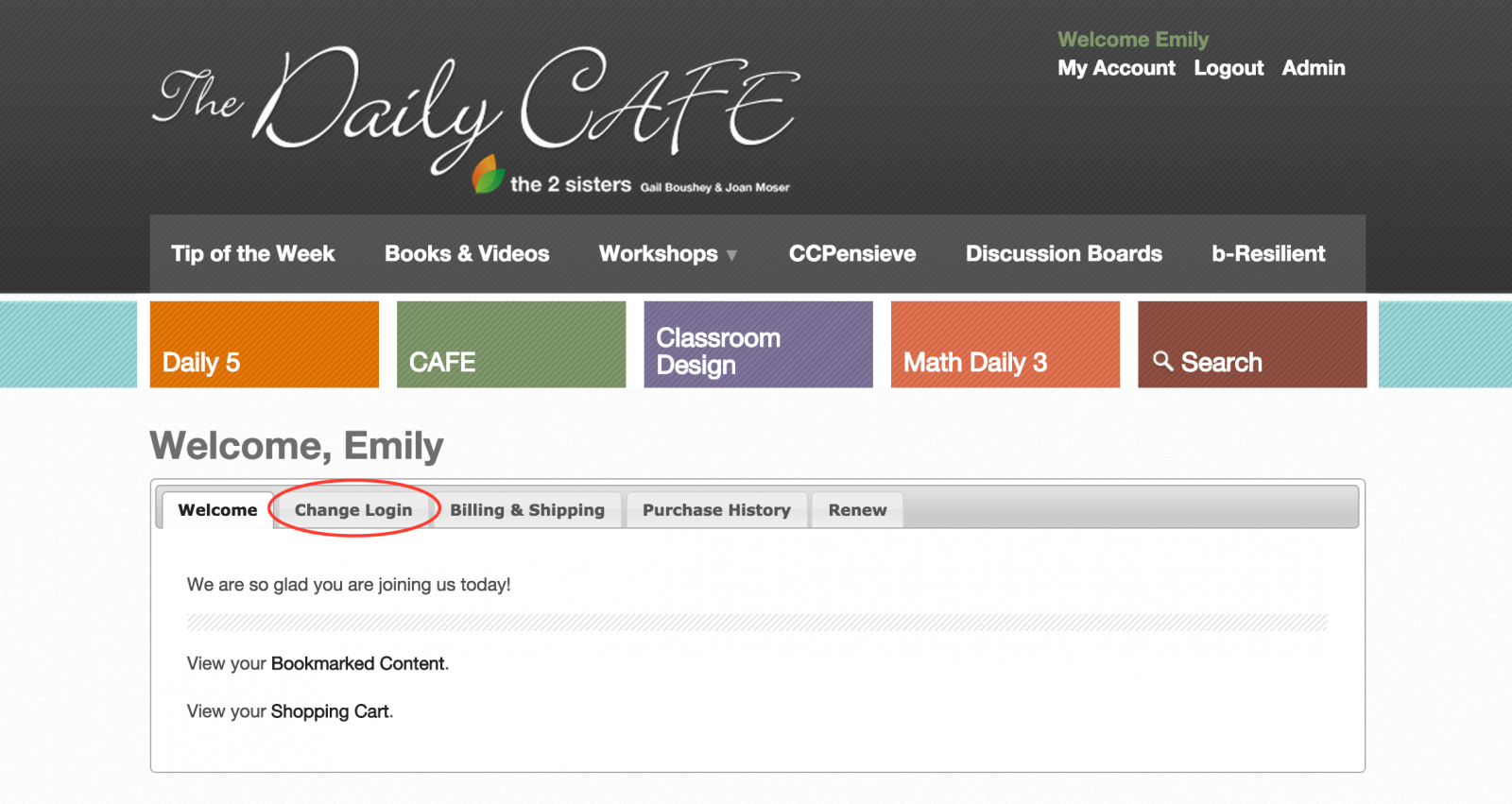
4. Enter your new email address and click Save Changes.
